
TempoFold · Workshop planner
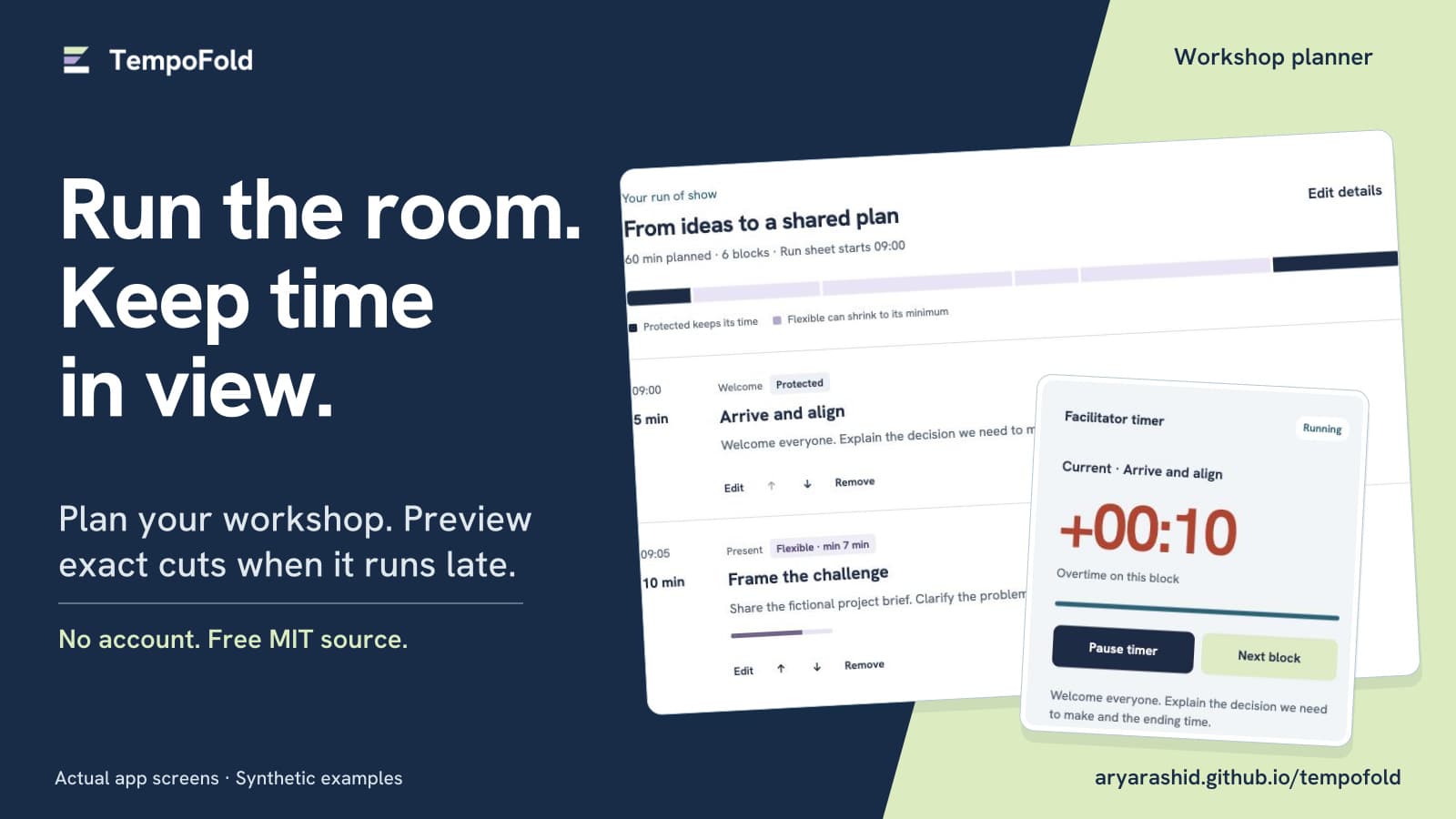
Plan the workshop. Protect important blocks. Preview exact cuts when time runs short. Local-first, with free MIT source.
Type
Tech stack
Documentation
Full
Setup, architecture, and how the pieces fit together.
Maintenance
None
Sold as-is. No further updates from the Builder.
Description
Make time for the ending
TempoFold helps you plan a workshop and decide what can flex when the room runs late. Set the agenda, protect important blocks, and review exact recovery cuts before changing anything.
Use it for a facilitated workshop, a timed product rehearsal, or a community session on one device. Start with an original synthetic 12-minute demo, 60-minute workshop or 45-minute community agenda, or create your own.
What's included
- Editable blocks with categories, notes, durations and minimums. Reorder, add and remove blocks before the session.
- Protected blocks that retain their full duration. Recovery adjusts future flexible blocks in agenda order, never the current or completed block, and never below a minimum.
- A before-and-after recovery preview, exact unresolved time when a request cannot be met, Apply and Undo.
- A timestamp-based timer with manual advance, pause, resume, overtime, a fixed finish target and projected finish. It restores across reload. Pausing keeps the finish target fixed.
- Local save, validated JSON file or paste import, agenda export, and a printable facilitator run sheet with notes, minimums and planning times.
- Original source, tests, examples, setup and architecture guides, a cohesive SVG brand kit, and five actual-product gallery images.
The facilitator chooses minimums and approves cuts. TempoFold cannot decide which discussion or accessibility break should be shortened. No promise that every delay can be recovered.
Start in a browser
Open the live planner. No account, backend or paid API is needed. To run the source locally, install Node.js 22 or later, run npm ci, then npm start. There is no build step. Static hosting needs HTTPS for offline caching.
App files cache after a successful first load and service-worker installation. Check the offline status before disconnecting. Browser storage and caches can be cleared or evicted, so export JSON for a backup. Export contains the agenda, not live timer history.
Requirements and limits
Use a modern browser with JavaScript and local storage. Run one workshop in one tab on one device. Timers use the device clock; keep it accurate. They never advance automatically. There is no cloud sync, collaboration, calendar integration, broadcast output, audio alarm or remote control.
Imports allow 1–100 blocks, up to 24 hours total, four hours per block and a 512 KB UTF-8 JSON file. Import validation rejects an invalid file before replacing work.
Controls have visible keyboard focus, named dialogs and text status labels. Tab, Enter, Space and Escape support the main flow. The timer does not announce each second. Chrome mobile-layout and keyboard checks are recorded in the source; this is not an independent assistive-technology audit.
License, documentation and support
Original software, examples and artwork are free under MIT. Bundled Hanken Grotesk font and outlined lettering retain SIL OFL 1.1. Keep both licenses and notices when redistributing. Created by Arya Rashid with AI assistance. All example agendas and gallery screens are synthetic; no customer results are claimed.
Source and setup · v1.1.0 release · Architecture · Gallery and brand kit
Support is through GitHub issues and community contributions, with no paid support, maintenance agreement or response-time promise. The automated suite covers recovery, timer and import rules. Browser, print, mobile and cached-offline checks and their limits are documented in the repository.
FAQ
- What is TempoFold best for?
- Planning and running a workshop, timed product rehearsal or community session on one device. Three synthetic examples are included. It is designed for a facilitator who wants to see exact proposed cuts before changing an agenda.
- How does time recovery work?
- Choose minutes to recover. TempoFold shortens eligible future flexible blocks in agenda order, stopping at each minimum. Protected, current and completed blocks keep their duration. Review before-and-after values before Apply. Impossible requests show exact unresolved time. Undo restores the previous agenda until you advance, edit, replace the agenda or reset the timer.
- How do I run it?
- Open the hosted planner in a modern browser. To run locally, install Node.js 22 or later, run npm ci, then npm start. No build step, backend, account or paid API is required. Public static hosting needs HTTPS for service workers.
- Does it work offline, and where is my data?
- After a successful first load and service-worker installation, app files cache for offline use. Check the status before disconnecting. Workshop data stays in this browser’s local storage. Browser data or caches can be cleared or evicted. Export JSON for a backup; there is no cloud sync.
- What happens when I pause or reload?
- The timer saves timestamps and restores after reload. A running timer includes elapsed time during device sleep. Pause stops the block timer while the finish target remains fixed, so a pause can add delay. Advance to the next block yourself. Keep the device clock accurate.
- What can I import, export and print?
- Import validated JSON from a file or paste. Limits: 1–100 blocks, 24 hours total, four hours per block and 512 KB UTF-8. Export contains the agenda, not live timer history. Print includes planning times, categories, notes, minimums and protected status.
- Can I use it with a team or multiple devices?
- Use one tab on one device for each workshop. There is no collaboration, calendar integration, cloud backup, broadcast output, audio alarm or remote control. Export and import JSON to move an agenda between devices.
- What accessibility support is included?
- The interface provides visible keyboard focus, labeled inputs, named dialogs and text status labels. Tab, Enter, Space and Escape support the main flow. The timer can be read on demand and does not announce every second. Mobile-layout and keyboard checks are documented; no independent assistive-technology audit is claimed.
- What license and support are included?
- Original code, examples and artwork are MIT licensed. Hanken Grotesk font and outlined lettering retain SIL OFL 1.1; keep the bundled notices. Support is through GitHub issues and community contributions. No paid support, maintenance commitment or response-time promise is included.
Domains
Seller

Reviews
No reviews yet.